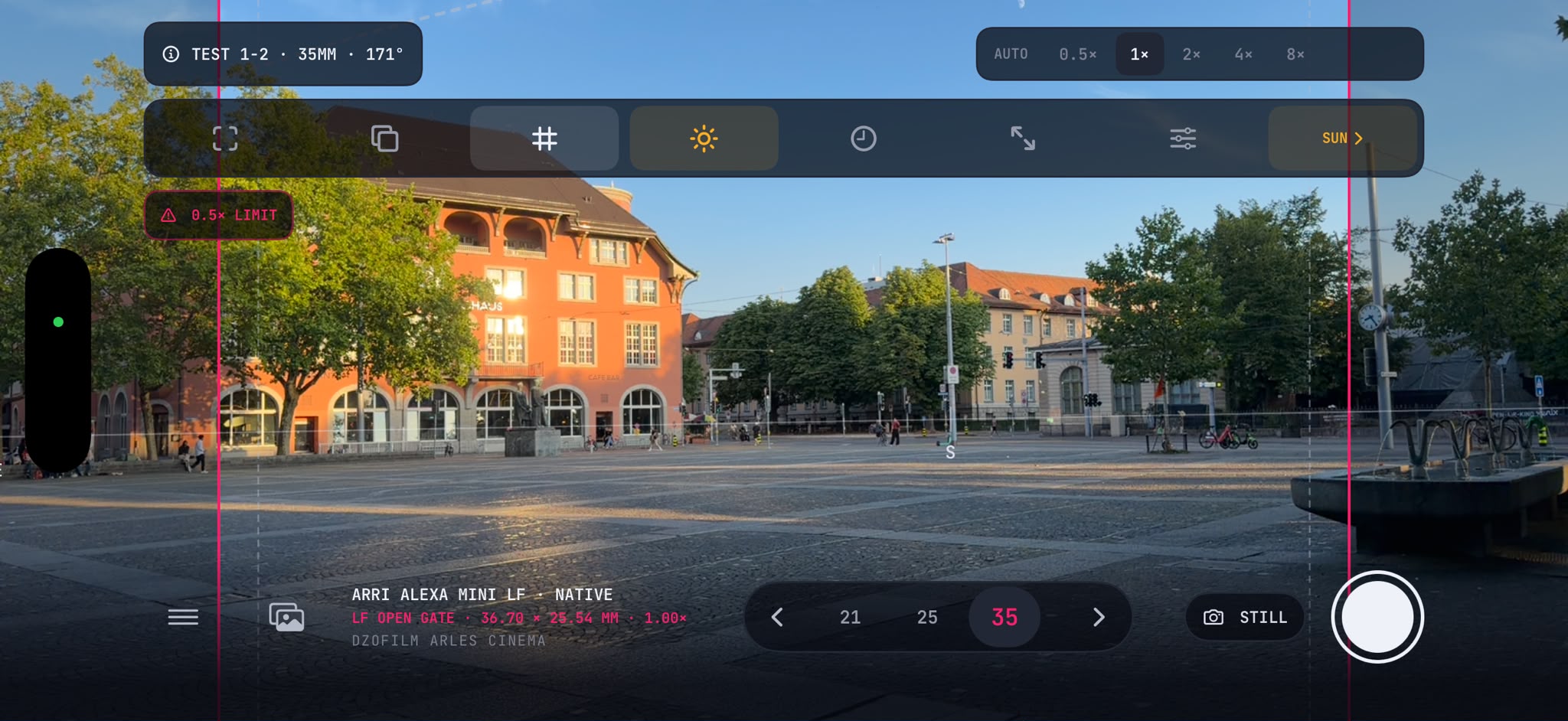
Camera body, active area, focal length and aspect ratio—computed against the phone camera’s measured view.
SL-Frames · Mobile scouting suite
Plan the frame. Know the light.
A native iOS scouting suite for cinematographers and directors: truthful cine framing, sun and moon planning, production-ready Scouts, and private LiDAR room capture.

Scroll
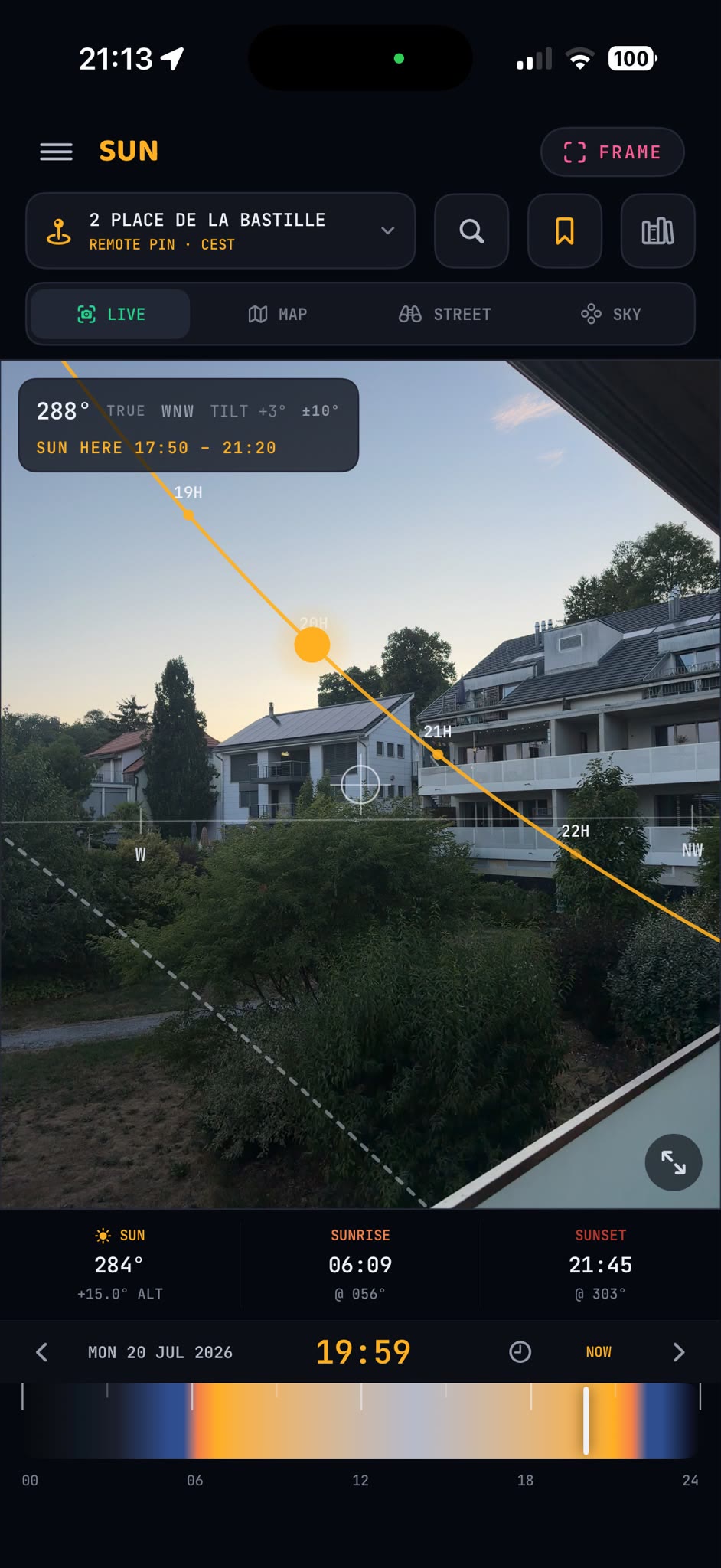
Sun, moon, twilight and camera direction across live AR, map and sky compass—with Google Street View on supported iPhone builds.
Still or motion Scout Cards, ordered Scout Sets, Light Plans, PDFs, media and structured manifests.
Capture connected rooms, inspect measured walls in interactive 3D, keep every draft private, then hand off a structured model.
Watch the LiDAR proofFRAME · Director’s viewfinder
A frameline should tell the truth.
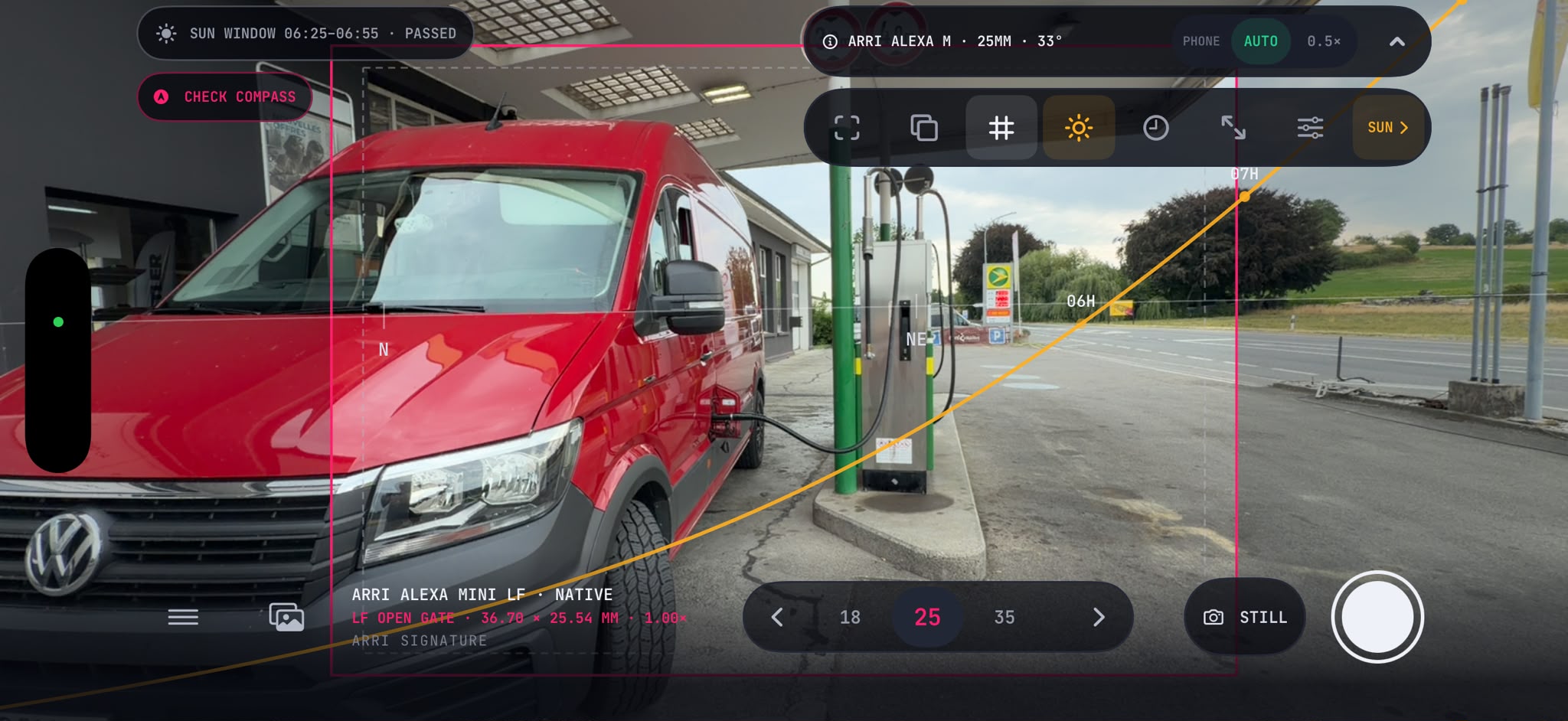
Choose the production camera, its active recording area, lens set, focal length and delivery ratio. FRAME maps that combination onto the live phone image without pretending a too-wide view fits.
- Measured phone optics. The active camera format reports its real horizontal field of view.
- Visible provenance. Manufacturer-verified, calculated and exact custom active areas stay distinct.
- No fake fit. If the taking lens is wider than the preview, FRAME says so and offers an available wider phone lens.
- Rig truth saved. The camera, mode, lens, focal length, ratio and computed crop travel with the Scout.
111camera bodies
173manufacturer-verified physical modes
13,986calculated crop and aspect combinations
105lens-series presets including Custom / Unlisted, with custom focal entry
SUN · One shared Light Plan
Stand there now. Plan the light for any day.
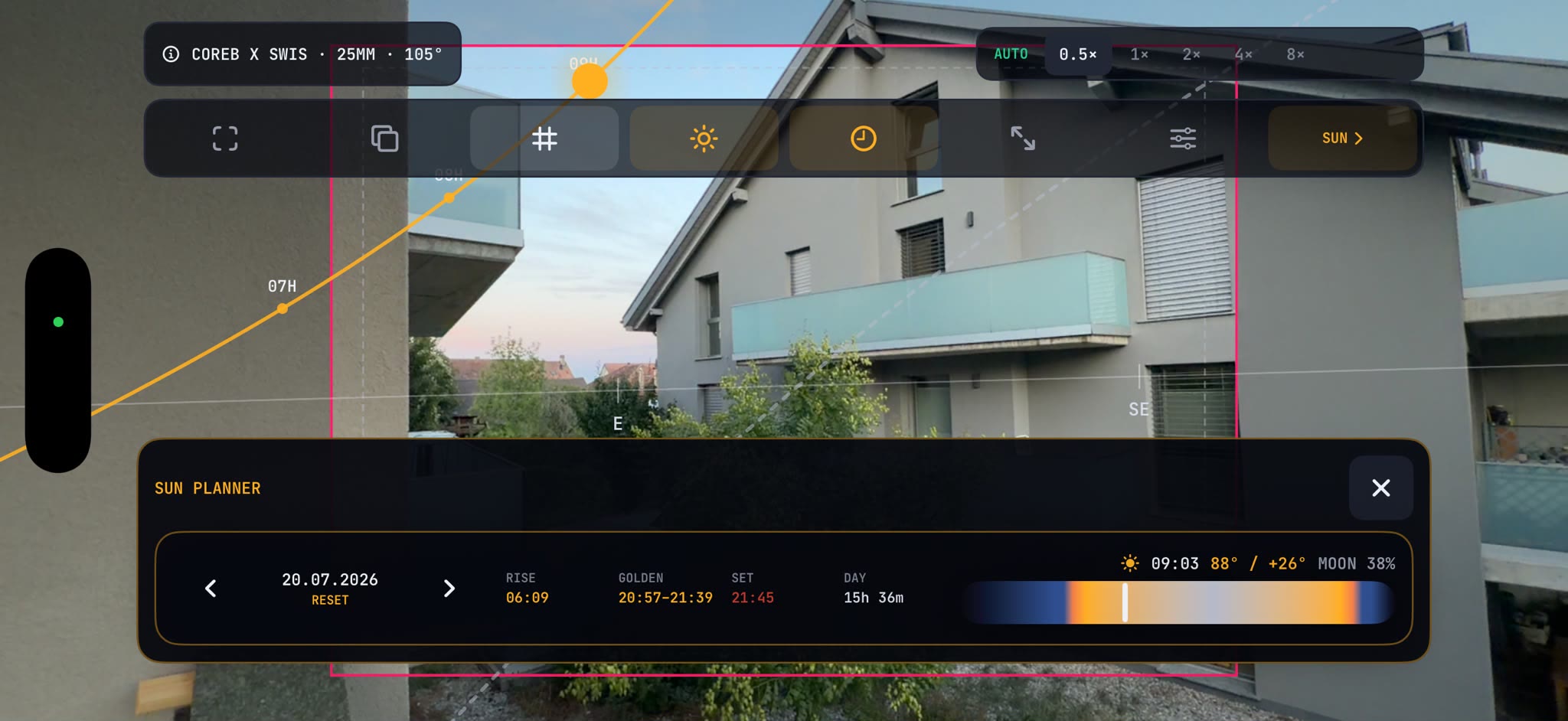
Search or pin a location, choose its local date and time, place camera and subject, then inspect the same plan through four complementary views.
Live AR
See sun and moon paths against the place in front of you, aligned to true north when a location fix is available—or visibly labelled magnetic north when it is not.
Map
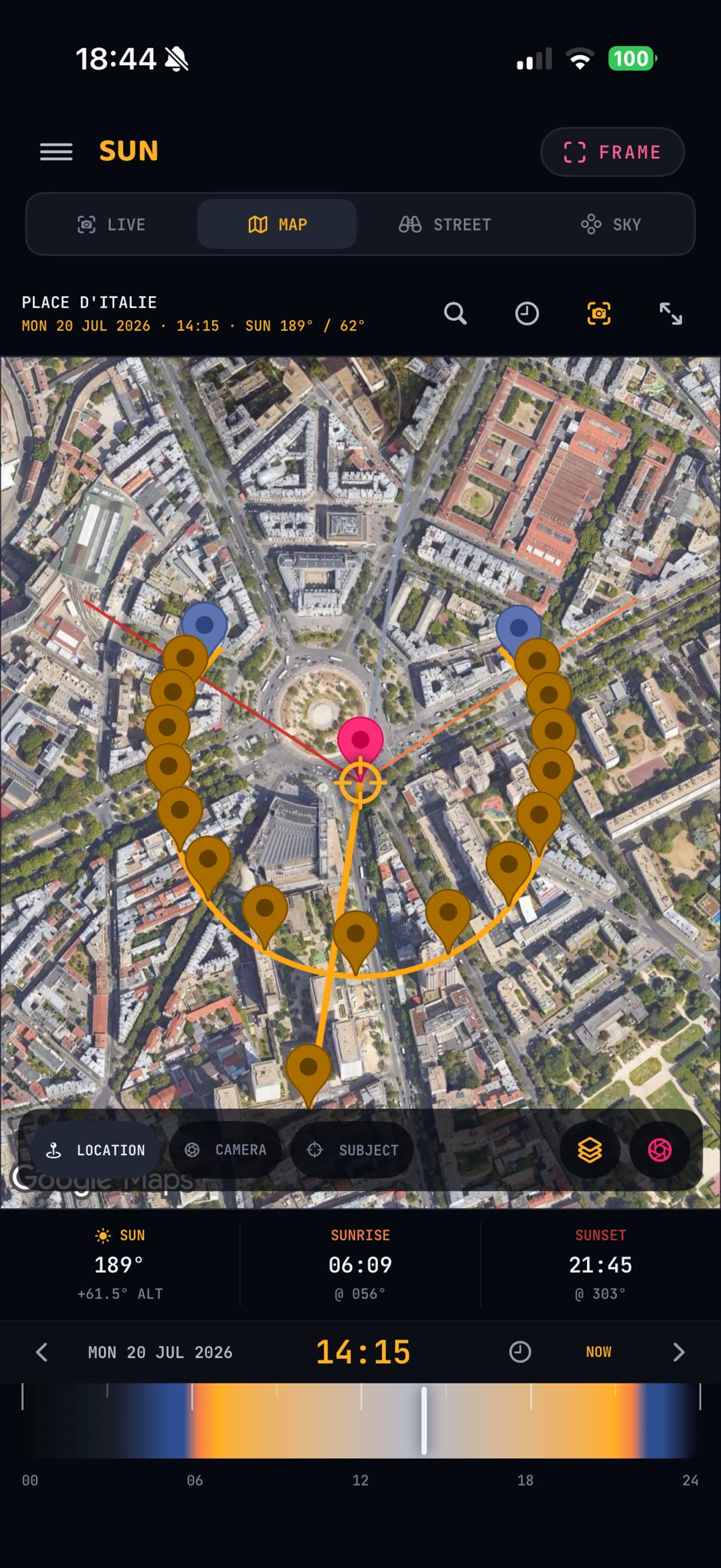
Work remotely with the location pin, camera wedge, subject position, light direction and shadow geometry on one plan.
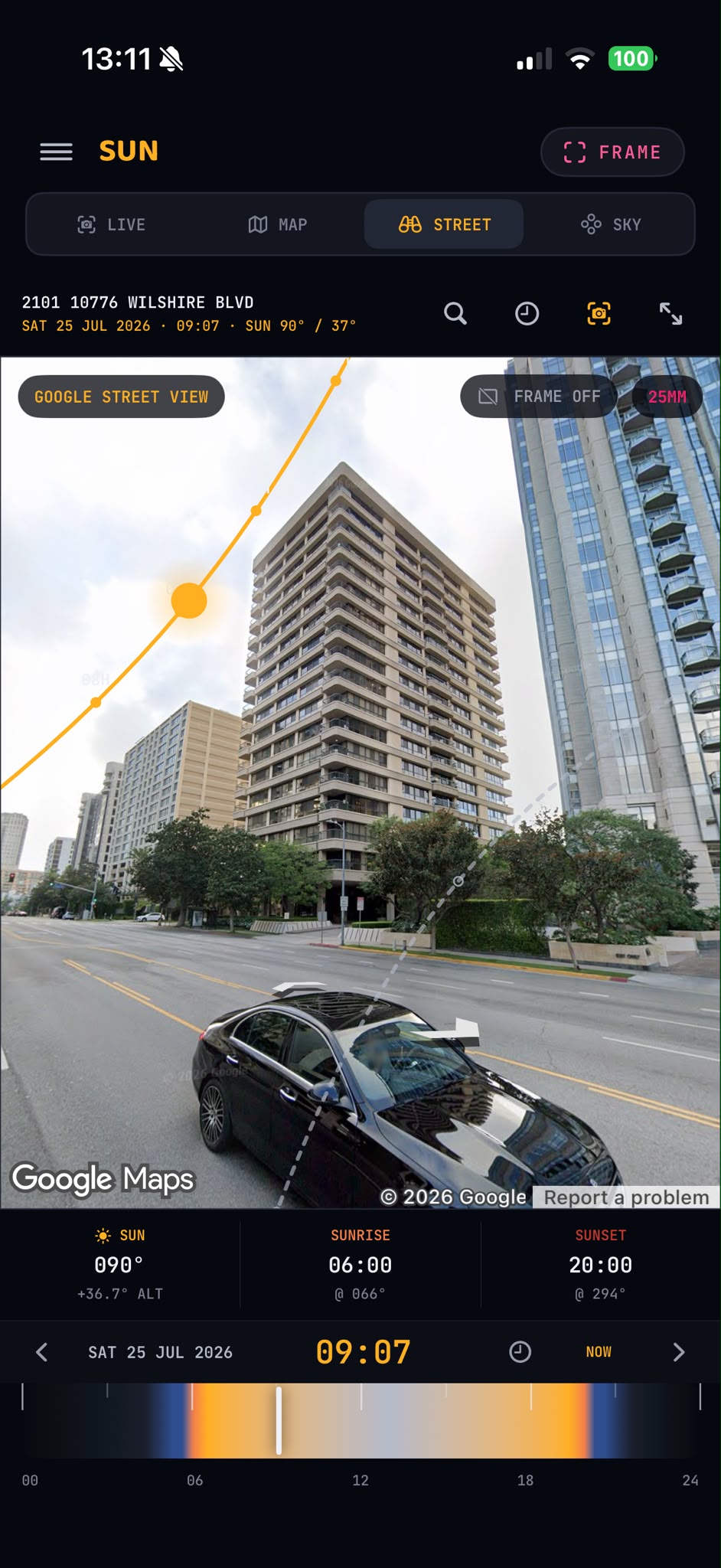
Street View
On supported iPhone builds, explore Google Street View and test a virtual cinema frame when Google Maps configuration, provider coverage and a network connection are available.
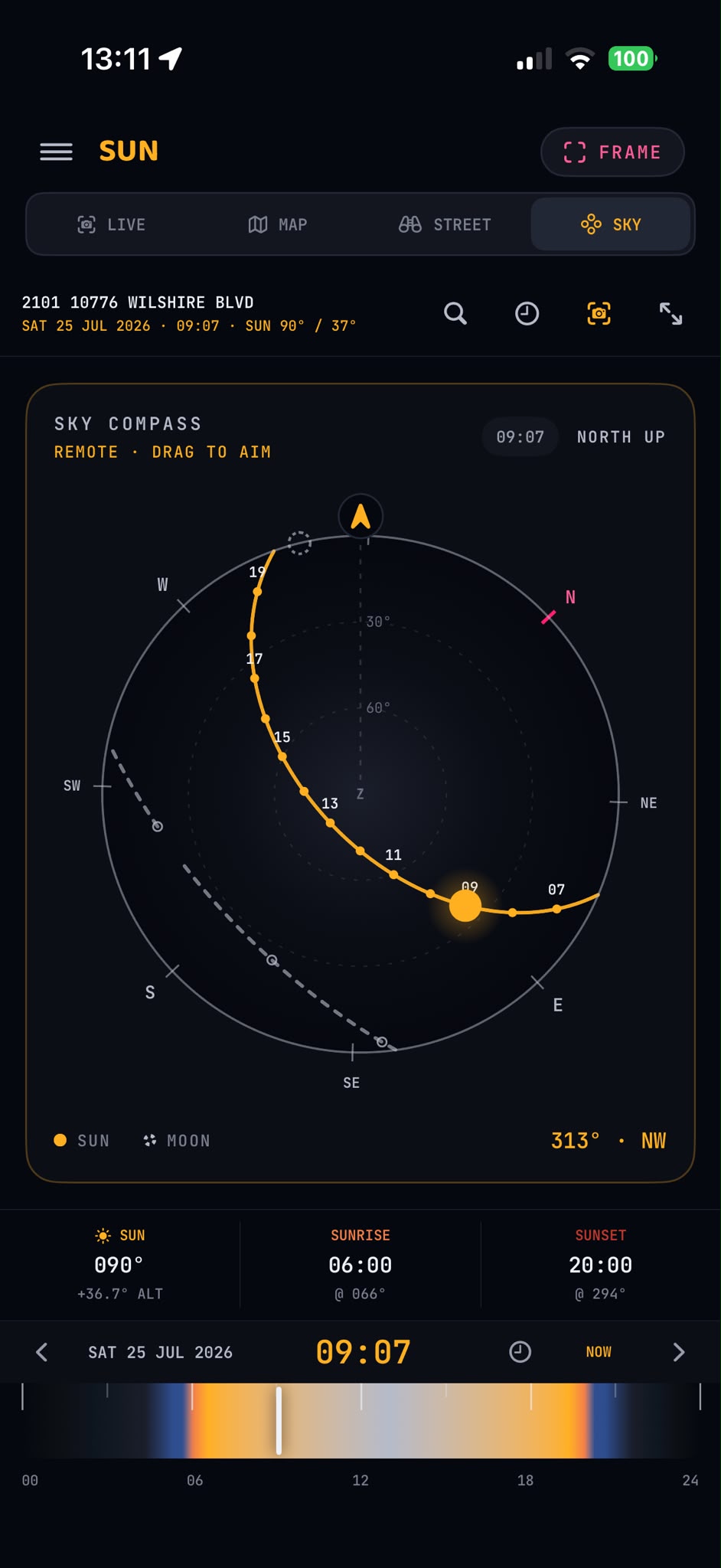
Sky compass
Scrub through the day’s sun and moon positions, with sunrise, sunset, golden hour, blue hour and twilight.
SAVED LIGHT PLAN
One intent, frozen in the location’s own time zone.
A saved Light Plan carries the site, local date and time, camera-to-subject geometry, camera active area, lens and ratio, plus the calculated light events. Export it as a vector PDF and structured JSON.
Capture · Organise · Deliver
The scout becomes production material.
Press the shutter for a full-resolution still, or choose Motion and record a QuickTime location scene. Every useful frame can become a structured Scout Card.
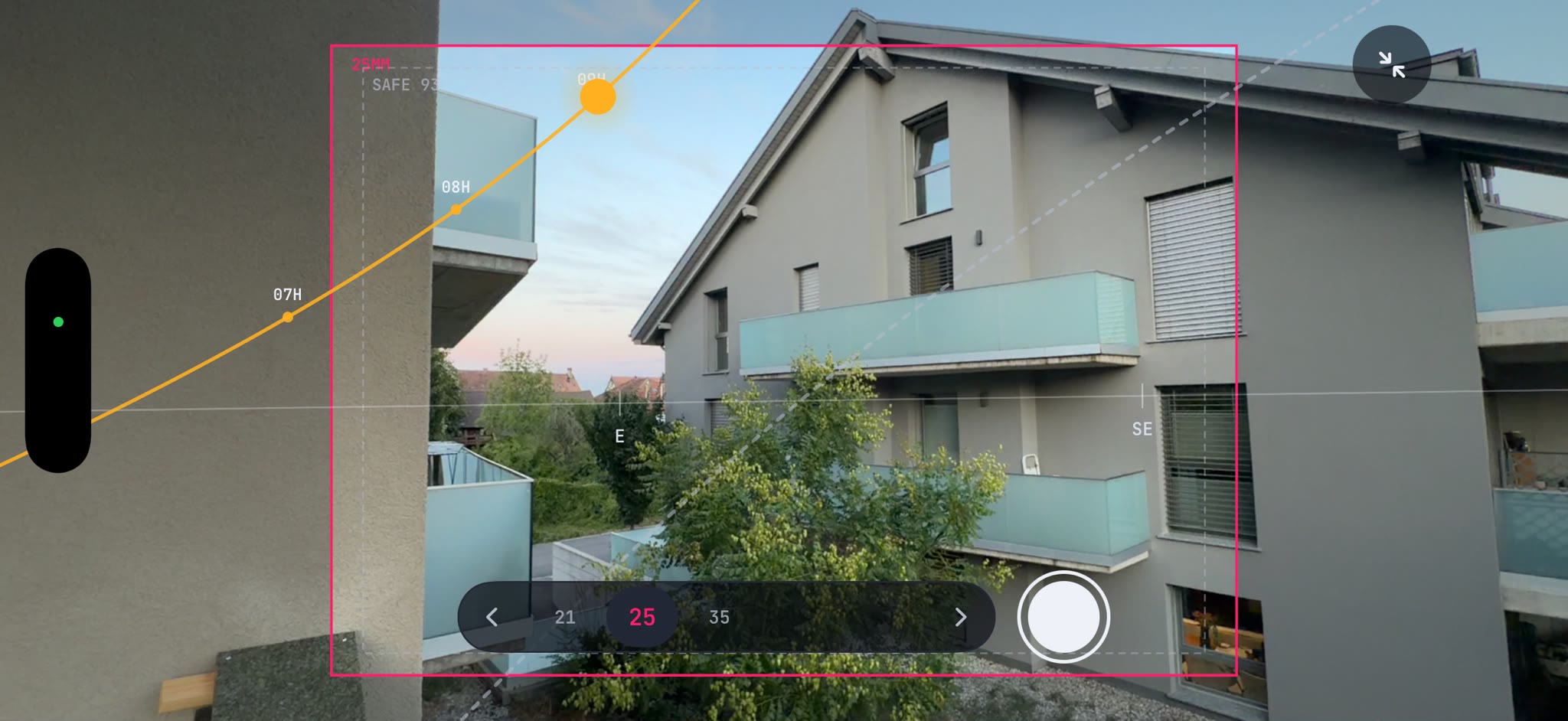
Scout Card
Ordered Scout Set
PDF + JSON
-
01
Capture still or motion
STILL preserves the full-resolution photo workflow. MOTION stores the untouched phone clip with sound when microphone permission is granted.
-
02
Build the Scout Card
Add scene, shot, shot type, angle, movement, camera height, notes, tags and a preferred take. Keep the clean frame and annotated version together.
-
03
Order the Scout Set
Select the useful frames and drag them into a persistent delivery order without deleting the underlying Scouts.
-
04
Hand it over cleanly
Share a compact Shot List, detailed Scout Book, clean frames, recorded clips and a versioned JSON manifest. Annotated frames remain available from each card and in the visible Exports folder.
Your project is a real local folder. Captures and exports remain visible in the Files app under On My iPhone or iPad → SL-Frames.
SL-LiDAR · Apple RoomPlan
Bring the space back with you.
On a LiDAR-capable device, capture a room—or connected rooms—and review the measured structure as a 3D model before you accept it.
Guided capture
RoomPlan detects walls, doors, windows, openings and optional semantic objects.
Review in 3D
Orbit, pan and zoom the result; restart when corners or wall lengths look incomplete.
Connected rooms
Add areas from a shared doorway and merge them into one structure before export.
Local by default
Camera frames are not uploaded. The local draft leaves the device only when you explicitly share or send it.
RoomPlan measurements require review and are not survey-grade. Verify critical dimensions independently.
Standalone when you want it. Connected when you need it.
Connect only when it helps.
Local work never requires a Silverlines account. Use a 12-character production code or QR without signing in, or optionally sign in to My SL Suite to see your real profile and eligible productions. Each connection stays scoped to one production review inbox; delivery is manual by default, with optional auto-send for that project.
Code or QR join
Manual by default
Durable offline queue
 SL-Frames
Local project
SL-Frames
Local project
Approved by operator
 Silverlines
Scoped review inbox
Silverlines
Scoped review inbox
Offline capture remains available
Local projects, FRAME capture and saved Scouts do not depend on a production connection. Remote search and Google Street View use network services; embedded Street View is limited to supported iPhone builds.
No account required
Create local projects—or stay Unfiled—without signing in. My SL Suite sign-in is optional and separate; a personal session is kept in the iOS Keychain until sign-out.
Credentials stay out of exports
Scout packages, Light Plans and RoomPlan artifacts carry the production material—not the credentials used to deliver it.
App Store pricing
One toolkit. Three ways to own access.
SL-Frames is free to download. The following are the current United States in-app purchase prices; Apple shows the applicable localized price, currency, and taxes in your storefront before you confirm a purchase.
Monthly · USD 5.00
Auto-renewing monthly subscription. Manage or cancel in your Apple Account subscription settings.
Annual · USD 29.99
Auto-renewing annual subscription. It renews for another year unless cancelled at least 24 hours before the current period ends.
Lifetime · USD 59.00
One-time, non-consumable lifetime unlock. It does not auto-renew and is eligible for purchase restoration.
Apple processes billing and refunds. Restore eligible purchases inside SL-Frames; manage or cancel subscriptions through your Apple Account. Apple’s Standard EULA and our Terms of Service apply.
Questions
Before SL-Frames joins your kit.
The practical details about availability, camera truth, connectivity and capture.
Is SL-Frames available yet?
Yes. SL-Frames 0.1.4 is available now as a free download on the App Store, with optional Monthly, Annual, and Lifetime in-app purchases.
Does SL-Frames need a Silverlines account?
No. It is standalone-first: create local projects, keep captures Unfiled, export through the iOS Share Sheet and work without a Silverlines account. Linking by production code or QR is optional, as is signing in to My SL Suite to see your profile and eligible productions.
How are FRAME’s framelines calculated?
FRAME combines the selected camera’s active image area, lens focal length and aspect ratio with the active iPhone camera format’s measured horizontal field of view. Manufacturer-verified, calculated and exact custom modes are labelled separately so their provenance is never hidden.
What happens when the production lens is wider than the phone preview?
FRAME does not shrink the rectangle until it merely looks plausible. It tells you that the frame is wider than the preview and offers an available wider phone lens, such as the ultra-wide.
Can it capture video as well as stills?
Yes. FRAME explicitly switches between STILL and MOTION. Motion creates a QuickTime clip, records sound when microphone permission is granted, and stores the untouched source beside the Scout Card JPEG.
Does SUN work for remote locations?
Yes. Search or pin a location, select its local date and time, and plan through Map or the sky compass. Live AR, Map and Sky remain operational without Google configuration. Google Places and embedded Street View require provider configuration, coverage and connectivity; embedded Street View is available only in supported iPhone builds, not on iPad.
Is SL-LiDAR a replacement for a survey?
No. Apple RoomPlan is a fast way to capture and review measured structure and semantic objects on a LiDAR-capable device, but it can miss difficult surfaces and occluded corners. Important dimensions must be independently verified.
What does SL-Frames cost?
SL-Frames is free to download. Current United States in-app purchase prices are USD 5.00 monthly or USD 29.99 annually for auto-renewing subscriptions, or USD 59.00 for a one-time non-consumable lifetime unlock. Apple displays the applicable localized price before purchase.
How do billing, cancellation, and refunds work?
Apple processes App Store purchases. Restore eligible purchases in SL-Frames, manage or cancel subscriptions in your Apple Account settings, and request refunds through Apple. Apple’s Standard EULA and our Terms of Service apply.